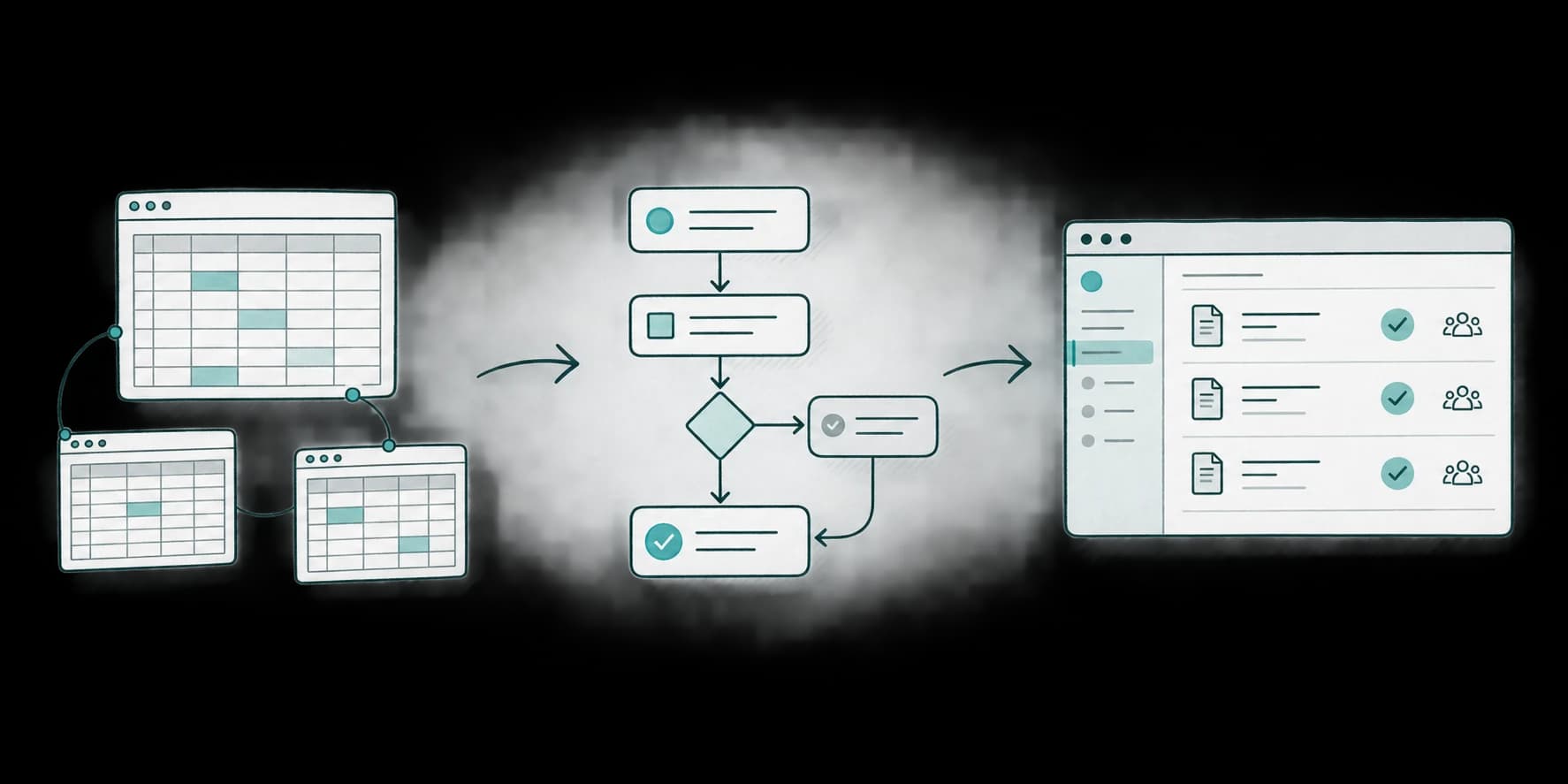
When is it the right time to build an application?
Replacing Excel with a custom application makes sense when a recurring process requires too much re-entry, checking, or coordination, and existing tools do not adequately cover its business rules. The need should be clear enough to define a useful first release, with expected benefits that justify building and maintaining it.
At Appik Studio in Lausanne, we regularly see this starting point: a team has organized its work in a spreadsheet and extended it as requirements emerged. Over time, worksheets, contributors, and exceptions have multiplied. The work is still possible, but it requires increasing attention.
That history can be a good foundation for a software project. Users already understand their work and the problems to solve. The spreadsheet helped them learn; it can now inform an application that fits their needs better.
Excel is often the right first tool
A spreadsheet lets you start quickly, test a calculation, and change a process without commissioning software. For occasional analysis or straightforward tracking, it can remain the best choice for years.
Compare custom development with what spreadsheets can already do. Excel supports co-authoring a shared workbook, under the conditions Microsoft describes. Having several people work on a file does not, by itself, justify a new application.
The more useful signal is when the effort required to keep work consistent grows faster than the activity itself. Adding a record now means updating three places, notifying someone, and checking that nobody used outdated information.
Five signs your spreadsheet is reaching its limits
1. The same information is entered repeatedly
An address, amount, or status change must be copied between files and then into a customer document. Each copy creates another opportunity for an omission. An application can centralize those records and generate documents from them, provided that journey is explicitly designed.
2. Reliability depends on manual checks
Before sharing a result, someone must inspect formulas, compare versions, or trace a change. Checking becomes a job in itself. The development question becomes specific: which rules can be checked automatically, and which decisions need human judgment?
3. Responsibilities and approval steps become hard to follow
Who prepares a record, who approves it, and who can change it afterward? A cell color and a message may work initially. When you need to trace decisions over time or give people different permissions, a dedicated tool is worth considering.
4. One person holds all the knowledge of the file
They know which cells to leave alone, which sheet is authoritative, and how exceptions work. That expertise is valuable. Turning it into explicit rules and understandable screens helps share it, including during an absence or when a colleague joins.
5. More activity mainly creates more coordination
Row count is not the deciding factor. A small file can support a critical process; a large table can be perfectly suitable for analysis. Ask what would happen with more records or users: could the team absorb that volume without multiplying reminders and checks?
These signs invite a closer look at the process. They are not an automatic rule that says three checked boxes mean you must build software.
Improve Excel, choose existing software, or build?
| Situation | First option to examine | What to check |
|---|---|---|
| Tracking is simple, but the file is poorly organized | Simplify the spreadsheet and how it is shared | Would one shared version and clear rules solve the problem? |
| Many businesses have the same need | Configure an existing business application | Does it cover essential steps without constant workarounds? |
| You need a few forms and focused automations | A no-code tool or a small integration | Can you manage access, data, and ongoing maintenance? |
| Rules specific to your activity shape the whole process | A custom application with a limited scope | Does the value justify delivery and maintenance? |
For quote management, start by checking whether existing software supports how you calculate and approve quotes. Custom software becomes interesting when important business requirements would otherwise force you to work around the tool on every record.
A process that is still unclear needs experimentation and business decisions first. Programming it too early can lock in an organization of work that still needs to change.
Why an established need provides a stronger starting point
A team using its spreadsheet every day can show what actually happens: a typical record, an exception, a frequently missing detail, and an expected result. Discovery becomes concrete.
The spreadsheet contains part of the team's business knowledge. Columns describe useful information, formulas express calculations, and accompanying instructions reveal implicit rules. These are valuable inputs for designing and testing an application.
They still need reviewing. A column may exist to work around an old limitation. An approval may no longer be necessary. Reproducing every worksheet could preserve all the complexity. We identify which rules to keep and which manual steps to remove.
This knowledge reduces uncertainty about the need. Adoption still has to be tested: users should be able to complete their work more easily in the new tool.
Two references: Prix de Lausanne and CTE SA
Prix de Lausanne: supporting event organization
Our Prix de Lausanne engagement covered mobile applications for dancers and schools alongside web administration tools. It includes networking journeys connecting candidates and schools.
This context illustrates the value of designing around clearly identified audiences and tasks. Administrators, dancers, and schools each have their own needs within a concentrated event schedule. Clear journeys and reliable operation are part of the design and delivery work.
CTE SA: a concrete quote-management need
Our work on quote management for CTE SA illustrates another starting point: an established business activity with practical requirements to translate into a tool. Discussions can draw on situations the team encounters in its daily work.
In his testimonial on our website, T. Amine, CEO of CTE SA, describes the valuable time the company's applications save. That is a useful way to assess business software: the difference it makes to people's everyday tasks.
These references illustrate different uses of custom software. In each setting, the team's knowledge provides a foundation; the scope follows the tasks that matter to them.
Move from a spreadsheet to a useful first release
Start with one complete journey
Choose a task with a beginning, an end, and an observable result. A quote-management example might involve recording a request, preparing the calculation, obtaining approval, and producing the document. This is an illustrative scope to discuss, not a mandatory feature list.
A web application may be sufficient when the work happens in a browser. A dedicated mobile application should follow actual needs, such as fieldwork, phone hardware, or offline constraints. Our PWA and native application guide helps examine that choice.
Preserve useful rules and migrate the right data
Define required information, permissions, and calculations to check. Identify active records, duplicates, and material that can stay archived. Compare results against representative real cases before switching over.
A limited scope still needs the relevant foundations: appropriate access, backups, checks on important calculations, and a way to export the data.
Test with the team and organize the transition
Have the people doing the work try the first version with representative records. Observe what still sends them back to the spreadsheet. Decide when the application becomes authoritative and who can correct data during the transition. Keeping both systems updated indefinitely would recreate the duplicate entry you wanted to remove.
Leave advanced dashboards, secondary integrations, and AI features for needs confirmed through actual use.
Check whether the investment makes sense
Over a representative period, record the time spent re-entering information, checking, correcting, and chasing responses. Include delays experienced by people waiting for an approval or a missing detail.
Compare plausible benefits with the complete cost: discovery, development, data migration, training, hosting, and maintenance. An hour freed up may allow more work to be completed; it does not automatically become a cash saving.
Agree on a few measures before starting: time to prepare a record, repeated data entry, corrections, and how independently people can work. Check them after launch on comparable cases. That is more useful than a general productivity promise.
Frequently asked questions
How many rows mean it is time to replace Excel?
There is no universal threshold. Rules, contributors, the consequences of mistakes, and coordination work matter more than the number of rows.
Do you need a custom application to manage quotes?
Existing software may be enough. Custom development is worth examining when essential pricing rules, approvals, or connections to other tools are poorly covered by available products.
Can you keep using Excel after launch?
Yes, particularly for analysis and exports. Define where each record is maintained so that the spreadsheet and application do not become competing sources of truth.
Does a well-understood need guarantee a good application?
It provides a stronger starting point. You still need to simplify the journey, test usability with the team, and plan how the software will operate after delivery.
Your file can be the starting point
Prepare a representative workbook, the three most time-consuming tasks, and a list of the people involved. That is enough to begin distinguishing between better organization, existing software, and a custom web application.
Tell us about your process and what is becoming difficult to manage. Together, we can identify the first journey to improve and what an initial release should actually achieve.



 Swiss Made Software
